Beamline hardware
This section is under construction..
3-pole wiggler
Double Multilayer Monochromator
Tomography endstation 1
Detectors
Table of the detectors installed at the beamline: click here.
The table lists all detectors available at the beamline and shows the magnification, pixelsize and Field Of View (FOV) obtained with each combination of detector and camera. The second sheet contains a calculator of the optimal scintillator thickness.
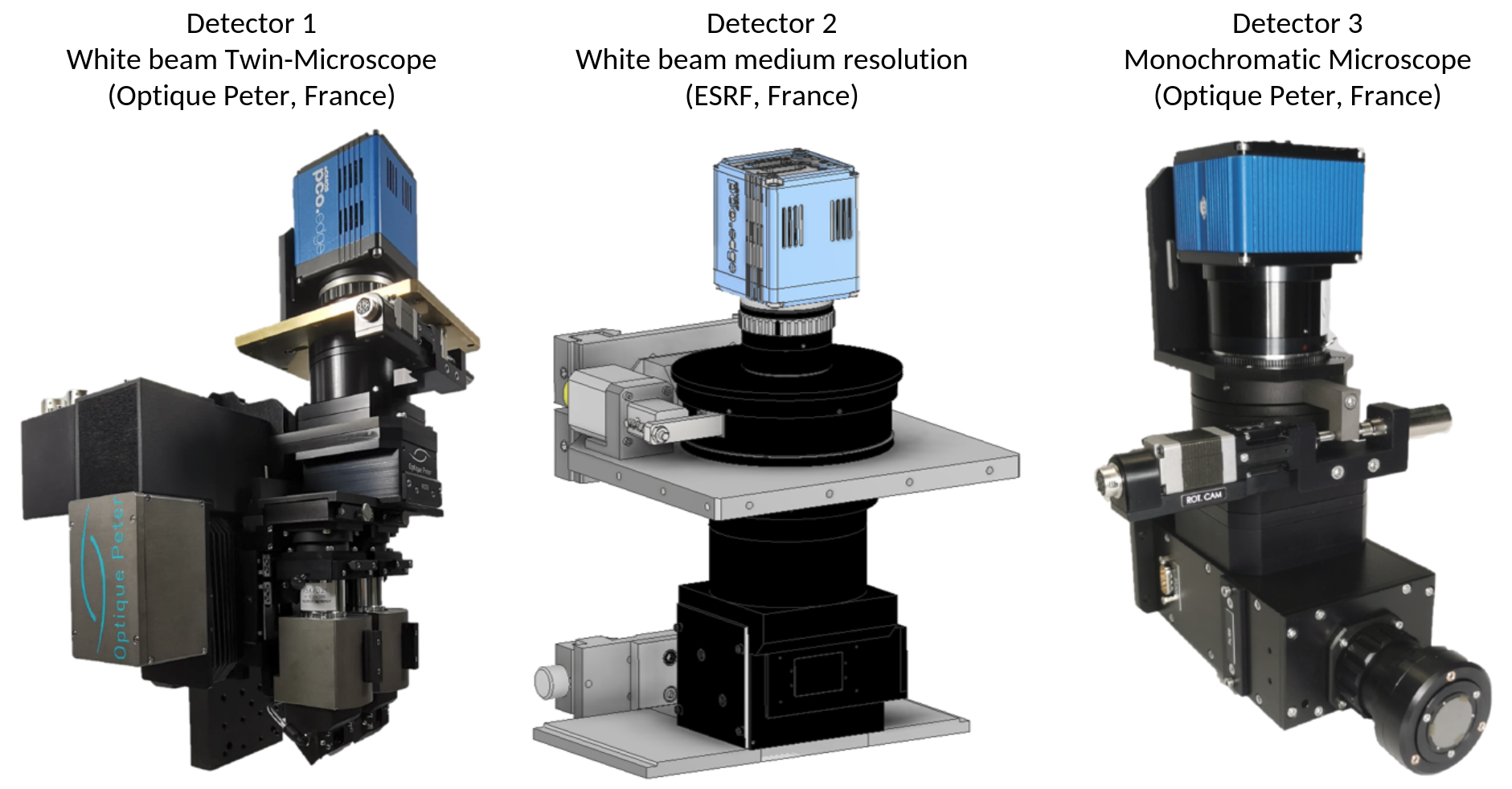
Figure 1: Detectors available at the BEATS beamline.
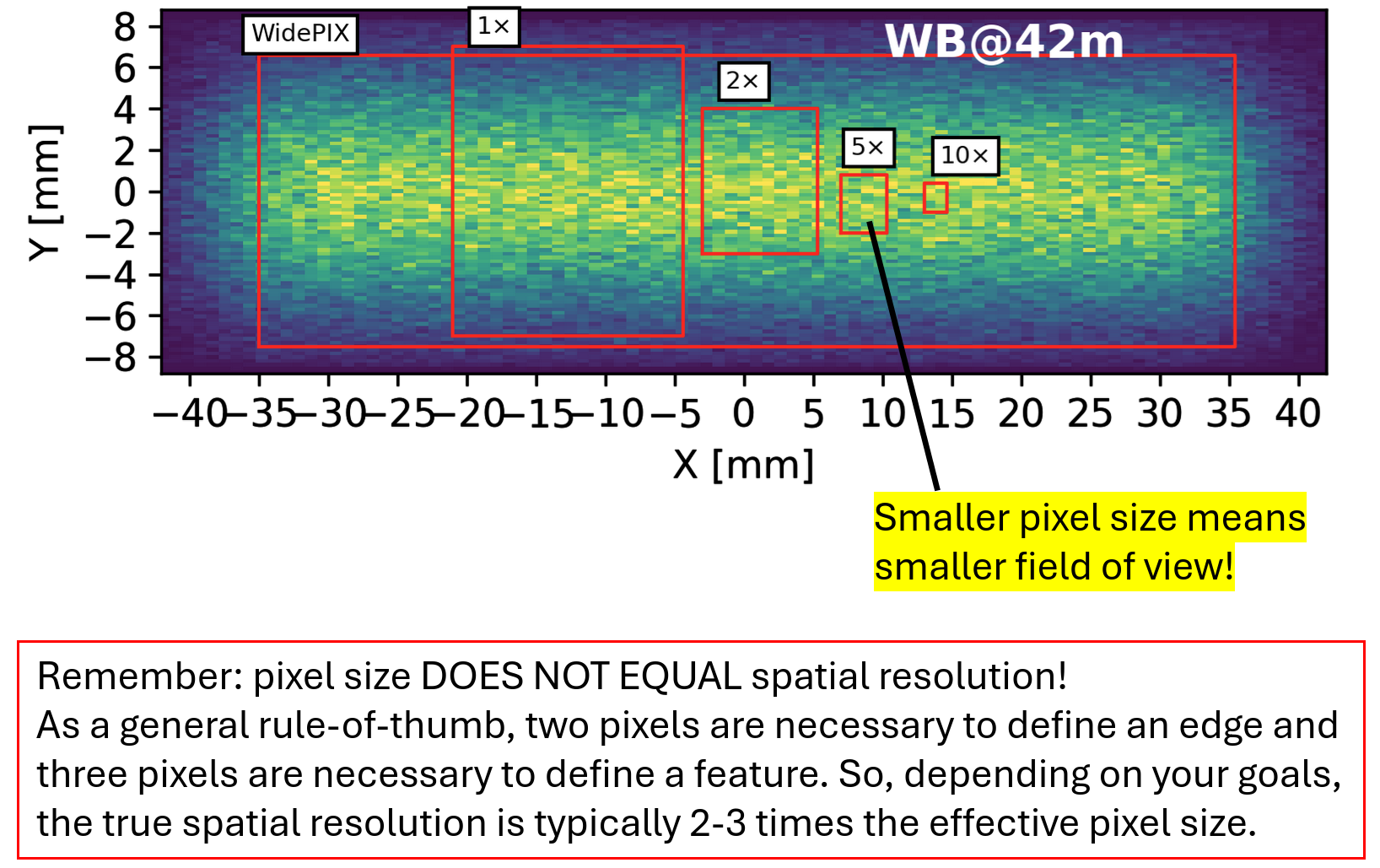
Figure 2: BEATS detectors Field Of View (FOV).
Detector 1 - White beam Twin-Microscope (Optique Peter, France)
Magnif. |
Field of view |
Pixel size |
|---|---|---|
5× |
3.4 × 2.8 mm2 |
1.3 μm |
7.5× |
2.2 × 1.9 mm2 |
0.87 μm |
10× |
1.7 × 1.4 mm2 |
0.65 μm |
Detector 2 - White beam medium resolution (ESRF, France)
Magnif. |
Field of view |
Pixel size |
|---|---|---|
0.5× |
33.2 × 28.0 mm2 |
13.0 μm |
1× |
16.6 × 14.0 mm2 |
6.5 μm |
2× |
8.3 × 7.0 mm2 |
3.25 μm |
Detector 3 - Monochromatic Microscope (Optique Peter, France)
Magnif. |
Field of view |
Pixel size |
|---|---|---|
4× |
4.2 × 3.5 mm2 |
1.6 μm |
10× |
1.7 × 1.4 mm2 |
0.65 μm |
20× |
0.9 × 0.7 mm2 |
0.33 μm |
Cameras
Each detector can work in combination with one of the following cameras. The EPICS PV in the table is used to stream the detector data in ImageJ using the EPICS AD Viewer plugin (see section EPICS AD Viewer below).
Camera |
Model |
EPICS PV |
Sensor size |
Pixel size [µm] |
|---|---|---|---|---|
CAM 1 CAM 2 |
PCO edge.5.5 ORYX FLIR 7.1 GigE |
|
2560 × 2160 3208 × 2200 |
6.5 4.5 |
Two more visible light cameras are installed and can be accessed with the PVs in the table below.
Camera |
Position |
EPICS PV |
|---|---|---|
Sample eye Diagnostic monitor |
Sample stage Optics hutch |
|
EPICS AD Viewer
To stream camera images within ImageJ go to Plugins -> EPICS AD Viewer. In the PVPrefix value insert the EPICS PV of the camera you want to access (see tables above).

Figure 3: ImageJ EPICS AD Viewer plugin.