Hutch Search Procedure
The Personnel safety system (PSS) operates as an access control system for the shielded enclosed areas to prevent access to dangerous levels of radiation. One of the main PSS procedures is the search of the hutches, with the purpose to make sure that all staff left before the x-ray beam is brought into the hutch. Only when the search is completed (all search buttons have been pressed, confirming that no person has been found in the respective area) and the searcher left the hutch, the beamline shutters can be opened.
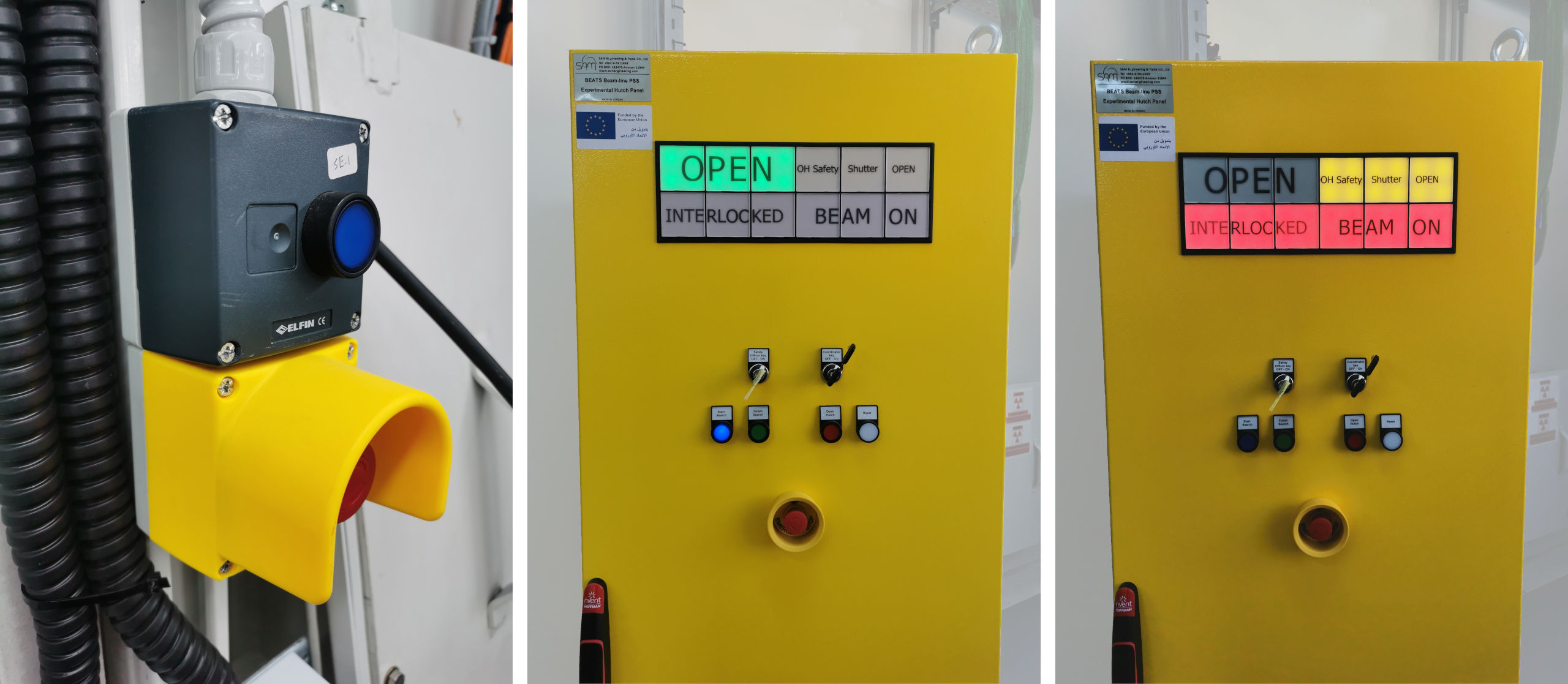
(Left) PSS hutch search button. (Center) PSS cabinet; hutch is ready to start search. (Right) PSS showing hutch door interlock and beamline shutters OPEN.
Note
The purpose of the search is to make sure that nobody is in the hutch when the x-ray beam enters it. During the search, all corners of the hutch must be inspected and search buttons pressed by the person performing the search. All doors must remain closed during this procedure.
- To preform the search of the hutch:
Do a pre-check to make sure that there are no people inside the hutch
Close the hutch door
Make sure that the safety officer and coordinators keys are in ON position, then press start search button. The red warning lights in the hutch will start blinking with variable tone audible warning to notify personnel that a search is in progress
Open the door, go inside the hutch then close the door. If you or someone opened the door after this step and before finishing the search, the search will fail and you have to repeat the procedure
Go to the first search point, look for people, if there are no people then press Search Button 1
Go to the second search point, look for people, if there are no people then press Search Button 2.
After searching the hutch and pressing all the buttons, leave the hutch and close the door. The door will be locked automatically
Press finish search button. The audible warning changes to an intermittent tone before enabling the opening of the shutters
Note
Note: The blinking frequency of the search buttons will change and become faster after a few seconds. It’s at this time that you can press them.